
I’m not a good coder, so I have had Claude make working support for the GL.iNet GL-X750.
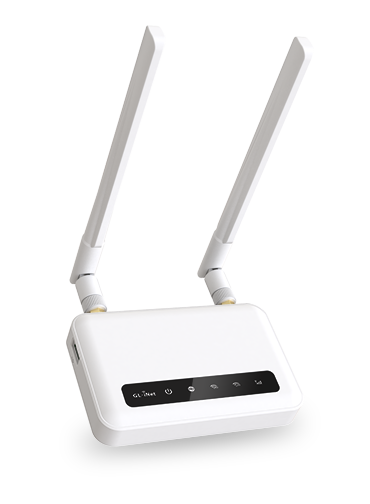
The reason for adding the support for this is because I didn’t find any supported routers that could be powered 100% at the time without the battery ballooning (I’m in Europe, so I only have access to European frequencies).
I also added two new detection methods:
-
IMSI-Exposing Reject/Detach Heuristic — Flags individual NAS reject/detach messages with cause codes that force GUTI deletion (e.g. Attach Reject with “Illegal UE”, MT Detach with “re-attach not required”, Authentication Reject). Informational severity.
-
IMSI Exposure Rate Heuristic — Tracks the rate of IMSI-exposing messages over a 100-message sliding window. Normal LTE networks show <3% incidence. Warns at >=5% (Medium) and >=15% (High).
Since the GL-X750 is very much different than many other models, I had to implement two “hacks” when it comes to Ntfy support and SD-card:
-
The Ntfy is now a service that lives on the external OpenWRT system. It listens for alerts from the Rayhunter software and sends it at a given interval. This is because the Rayhunter on this device doesn’t have internet access (which the OpenWrt has).
-
The saving to SD-card feature has a cron job that copies data from the Rayhunter memory to the SD-card at an interval. This is because the way Rayhunter lives on the Router Modem it cannot access the /dev/sda device.
If you want to try it, you need follow there steps:
- Buy the router
- Install a memory card and a sim card in the router (with out PIN code)
- Connect to the router (either Wifi or Ethernet)
- Go to the Routers webpage at http://192.168.8.1 and make a password (this will also be the root password)
- Verify you have ssh access to the device as root
- Download and run the Powershell script from Releases (this can be easily converted to bash if necessary). The computer running needs in some way internet access since it downloads and transfers all the necessary files to the router in order to inject the daemon to modem.
- Hopefully the script works
- Navigate to http://192.168.8.1:8080
Disclaimer: As noted, this is very much Claude coded, also since I don’t own a Stingray, I cannot verify that anything actually works.
You can find my fork at: https://github.com/chaugan/rayhunter
Thanks @chaugan, this is useful should we decide to support the device at some point